
Microsoft Cloud Management: Cost, Security & Governance
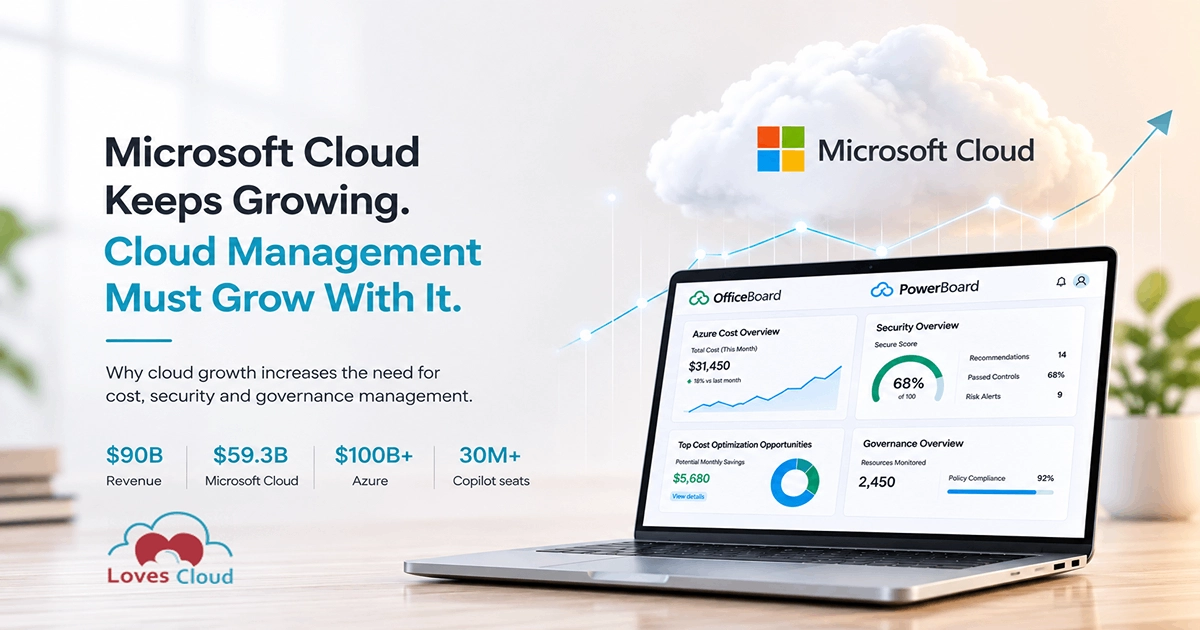
Microsoft Cloud Keeps Growing. Cloud Management Must Grow With It.
Microsoft has just closed another remarkable fiscal year.
In its FY2026 fourth-quarter results, the company reported $90 billion in quarterly revenue, an increase of 18% from the previous year. Microsoft Cloud generated $59.3 billion during the quarter, growing 27%, while Azure and other cloud services revenue increased by 43%.
Microsoft 365 Commercial cloud revenue grew by 14% on a reported basis. Azure also crossed $100 billion in annual revenue for the first time, while Microsoft 365 Copilot reached more than 30 million paid seats.
These are impressive numbers, but there is another side to this growth that deserves just as much attention.
Every new Azure workload adds more infrastructure, more expenditure and more resources that someone must manage. Every new Microsoft 365 user adds another identity, another license and another set of security and governance responsibilities.
Microsoft's growth is therefore expanding more than the cloud infrastructure and productivity software markets. It is also expanding the need for effective Microsoft cloud management.
What is Microsoft cloud management
Microsoft cloud management is the ongoing process of controlling cost, security, resources, identities, licenses and governance across Microsoft Azure and Microsoft 365.
That sounds straightforward, but the work becomes considerably more complex as a business grows.

Azure environments grow outward
A small Azure environment may begin with a few virtual machines, databases and storage accounts. Over time, different teams begin deploying new applications, test environments, networks, managed services and data workloads.
Some resources remain critical to the business. Others become underutilized, incorrectly sized, poorly tagged or simply forgotten.

Microsoft 365 grows alongside it
Microsoft 365 environments evolve in much the same way. A company may start with email and Office applications before adopting Teams, SharePoint, Entra ID, Defender, Intune and additional security or compliance products.
As the workforce expands, employees change roles, contractors join and leave, and different Microsoft 365 licenses are allocated across departments.
The real reason it gets hard
The environment does not become difficult to manage because something has gone wrong. It becomes difficult because the cloud has become an important and constantly changing part of the business.
Cloud adoption is only the beginning
During the first wave of cloud adoption, most organizations were focused on moving quickly.
They wanted to leave traditional data centres, modernize applications, support remote work and give employees better collaboration tools. At that stage, speed and availability often mattered more than optimization.
That was a sensible priority.
The challenge is that cloud environments rarely stay as simple as they were on the day they were deployed.
Eventually, the question changes.
It is no longer only
How quickly can we move to the cloud?
It becomes
How well are we managing what we have already moved there?
The shift that matters
That is the point at which cost management, security and governance become part of the cloud operating model rather than occasional administrative exercises.
Security becomes harder as the environment expands
Cloud growth also increases the number of identities, applications, credentials and configurations that security teams must protect.
Microsoft 365 identities
Azure workloads
Every new workload introduces more resources, network configurations, identities, keys and permissions.
The information usually exists, but it may be distributed across several Microsoft portals.
The real challenge
Deciding what matters, who should act and whether the issue has been resolved.
The problem is often scattered information
Microsoft provides extensive native management capabilities across Azure and Microsoft 365.
Azure tools
Microsoft 365 tools
These are powerful tools.
The difficulty for many organizations is not a lack of data. It is bringing the relevant information together so that different stakeholders can use it consistently.
Finance
Needs a clear explanation of cloud spending.
Security teams
Need prioritized risks and remediation actions.
IT teams
Need visibility across users, licenses, identities and applications.
Leadership
Needs a concise view of cost, risk, ownership and progress.
When every team is looking at a different portal or spreadsheet, creating a shared operating picture becomes difficult.
This is the problem we have been working to solve at Loves Cloud through


Managing Microsoft 365 with
OfficeBoard is designed to help organizations manage Microsoft 365 license costs, security and governance from one platform.
License management is often the most practical place to begin because the financial impact is easy to understand.
License management
OfficeBoard can identify unused licenses, licenses assigned to inactive or disabled users, and opportunities to move users to more suitable plans based on how they actually use Microsoft 365.
This can help organizations reduce existing license costs and avoid unnecessary spending when new licenses are purchased.
Security visibility
Governance
Built for how teams already work
Reports and dashboards can be downloaded or shared with relevant stakeholders through Microsoft Teams, making it easier to bring licensing, security and governance conversations into existing workflows.
What Microsoft 365 license optimization can uncover
In one customer assessment, OfficeBoard identified approximately $7,968 in potential annual Microsoft 365 license savings.
Potential annual savings identified
License assignments flagged for recovery, removal or rightsizing
Nine high-severity security alerts surfaced in the same review
The license findings created a measurable financial opportunity.
The security alerts created a more immediate operational priority.
That is why we believe Microsoft 365 cost, security and governance should be reviewed together rather than treated as unrelated tasks.
Managing Azure with
Azure cost management is sometimes treated as a finance or billing problem.
In reality, effective Azure optimization requires collaboration between finance, engineering, security and leadership.
An Azure bill can show that spending has increased, but it may not explain why a particular resource exists, which team owns it, whether it is correctly configured or whether it should still be running.
PowerBoard combines Azure cost information with the resource-level context teams need to make better decisions.
Review Azure expenditure by
Optimization opportunities identified
Cost visibility, brought together with security and compliance
Standard reports
Downloadable data
Custom reporting support
What Azure cost optimization can uncover
In one Azure assessment, PowerBoard identified $5,680 in potential monthly savings.
That opportunity was equivalent to approximately 18% of the customer's Azure cost for the month reviewed.
Around 75% of the identified savings came from Reserved Instances, while 21% came from an Azure Savings Plan. The remaining opportunity included actions such as removing an unused App Service plan, reviewing unattached disks and cleaning up failing Data Factory pipelines.
The same assessment also found insecure storage SAS tokens, unverified SSH keys and deprecated Azure services that needed attention.
Once again, the findings were not limited to cost.
The assessment showed how financial optimization, security posture and operational governance are connected inside a real Azure environment.
Reducing costs while ignoring security is not responsible cloud management.
Improving security without understanding ownership and resource usage can make remediation slow and expensive.
These areas have to be managed together.
Why the Microsoft cloud management market keeps growing
The addressable market for Microsoft cloud management is not fixed.
It grows whenever an organization adds another Microsoft 365 user, assigns another license, deploys another Azure workload or creates another cloud resource.
It also grows when businesses
Microsoft's FY2026 results show the scale of this expansion.
Azure & cloud services revenue growth
Microsoft Cloud revenue in one quarter
Azure annual revenue, first time exceeded
Microsoft 365 Copilot paid seats
Those figures do not mean that every customer needs another dashboard.
They mean that more cloud infrastructure, identities, licenses and AI capabilities are becoming part of daily business operations.
All of that must be monitored, optimized, secured and governed.
AI adoption will make cloud management even more important
The rapid adoption of Microsoft 365 Copilot adds another layer to this conversation.
AI can create significant productivity gains, but it also makes disciplined license management, identity governance and security more important.
The same applies to Azure-based AI workloads.
AI services can introduce new infrastructure, data-processing requirements and variable consumption patterns. Without clear cost visibility and ownership, spending can grow much faster than expected.
Not the ones who adopt first
The organizations that gain the most from AI will not simply be the ones that adopt it first.
The ones who manage it well
They will be the ones that understand how to manage it responsibly and economically.
Microsoft partners can build recurring services around cloud management
The Microsoft cloud management opportunity is especially relevant for CSPs, MSPs, Microsoft partners and cloud consulting companies.
Many customers do not need another large transformation project. What they often need is continuous visibility combined with practical expert guidance.
This creates a healthier commercial relationship for both parties.
The customer receives
Ongoing visibility, accountability and expert support.
The partner creates
Recurring subscription and managed-service revenue, instead of depending entirely on one-time migrations or infrastructure projects.
White-label delivery
OfficeBoard and PowerBoard can also support white-label delivery, allowing partners to combine the platforms with their own brand, experience and customer relationships.
Cloud growth creates value. Good management protects it.
Microsoft Cloud will continue to grow because Azure, Microsoft 365 and AI are becoming more deeply embedded in how organizations operate.
That growth creates enormous value, but it also creates responsibility.
The next stage of cloud maturity will not be defined only by how much technology an organization deploys.
It will be defined by how well that technology is managed.
Microsoft Cloud keeps growing. Cloud management must grow with it.
Frequently Asked Questions
Microsoft cloud management is the process of managing cost, security, resources, identities, licenses and governance across Microsoft Azure and Microsoft 365.
It helps organizations understand what they are using, what they are spending, where risks exist and what actions should be prioritized.
Businesses can reduce Microsoft 365 license costs by identifying subscriptions assigned to inactive, disabled or departed users.
They can also review actual application usage and move employees from expensive licenses to more suitable plans where appropriate.
License optimization should be performed regularly because users, roles and application requirements change over time.
Azure cost optimization typically involves a combination of rightsizing resources, removing unused services, shutting down unnecessary workloads and using Reserved Instances or Azure Savings Plans where workloads are predictable.
Organizations should also improve resource tagging and ownership so that spending can be accurately allocated and reviewed.
Azure Cost Management is Microsoft's native service for understanding and controlling Azure spending.
PowerBoard adds a consolidated management layer that brings Azure cost visibility together with security posture, vulnerabilities, Advisor recommendations, resource inventory, tagging, governance and reporting.
It is designed to make cloud information easier to use across finance, engineering, security and leadership teams.
No. OfficeBoard operates with read-only access and does not require access to the contents of customer emails, Teams messages or SharePoint files.
It uses Microsoft APIs to retrieve the administrative, licensing, security and governance information needed by the platform.
Yes. OfficeBoard and PowerBoard can support white-label partner offerings.
Microsoft partners, CSPs and MSPs can combine the platforms with services such as license optimization, Azure FinOps, security reviews, governance audits, remediation and executive reporting.
Take Control of Your Microsoft Cloud Environment
Loves Cloud helps organizations and Microsoft partners improve cost visibility, security posture and governance across Microsoft 365 and Azure.
Request a Microsoft Cloud Management Assessment
Review your Microsoft 365 or Azure environment and identify practical opportunities to reduce costs, strengthen security and improve governance.